
Drivers.com

follow us:

facebook twitter
  • Home
  • Download Drivers
  • Drivers Help
  • PC/Mac Resources
  • Software Drivers
  • Mac Fixes and Tips
  • PC Fix Tips
  • Security/ Backup
  • Tablets & Smartphones
  • Tech News
  • Software Drivers
  • Mac Fixes and Tips
  • PC Fix Tips
  • Security/ Backup
  • Tablets & Smartphones
  • Tech News

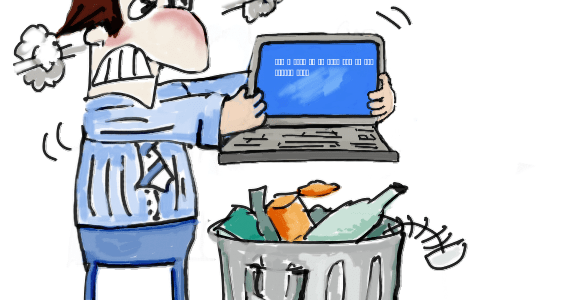
Fix ialmdev5.dll Blue Screen of Death Error

By Sushant Mehta on February 27, 2013

Fix ialmdev5.dll Blue Screen of Death Error

blue screen of deathVideo Card Drivers Errors

You may receive the following error, when you try to run Sim3 or when you start Windows: “ialmdev5.DLL PAGE_FAUT_IN_NONPAGED_AREA.” 

It is possible that you may receive an error message different from the one displayed below. Whatever the case, you can resolve the issue easily. But first, let us understand why this error occurs in the first place.

Video Controller Driver Issue in Windows 10 (Fixed)

Why does this dll error occur?

In most cases, this error occurs when there is some conflict between the application that uses this program and the installed video card drivers.

How to resolve this dll error – install latest video Driver

To fix the error, install the latest Intel video card drivers. You can either install the drivers manually or install the drivers automatically by using a driver update tool

Fix DLL Errors

Filed Under: Software Drivers Tagged With: Blue Screen, bsod, error, ialmdev5.dll

How to Remove FB Downloader Tool Bar

By Sushant Mehta on February 26, 2013

To remove the FB Downloader tool bar from Internet Explorer (IE), perform the following steps:

  1. Open IE
  2. Click the Tools icon (the gear icon listed at the far top-right corner)
  3. Click the Advanced tab in the Internet Options dialog box, and then click Reset
  4. Check the Delete Personal Settings box
  5. Click Reset
  6. After Windows has reset the IE settings, click Close
  7. Click OK
  8. Close IE and reopen it

To remove the FB Downloader toolbar from Google Chrome, perform the following steps:

  1. Open Chrome
  2. Click the Menu button (listed at the far top-right corner)
  3. Click Settings
  4. Click the Manage Search engines button under the Search options and select Google as the default search
  5. Locate and select fbdownloader.com, and then click the X button to remove it
  6. Click the Set pages option (located under On Start-up) and set your default homepage

To remove the FB Downloader tool bar from Firefox, perform the following steps:

  1. Open Firefox
  2. Click the Firefox button
  3. Click Help
  4. Select Troubleshooting information
  5. Click Reset Firefox

If you are connected to the Internet, it is necessary that you install certain security tools such as an antivirus tool and firewall.

Filed Under: PC Fix Tips Tagged With: fb, toolbar, uninstall

Resolve d3dx9_14.dll not found error

By Sushant Mehta on February 25, 2013

The d3dx9_14.dll file belongs to Microsoft’s Direct X. The “d3dx9_14.dll not found” error usually occurs when you try to run or install a Windows-based game on your computer.

Cause of d3dx9_14.dll not found error

This error occurs due to one of the following three reasons:

  • You are using an outdated version of DirectX
  • Some of the files of the application with which you get the error are corrupt or missing
  • The driver for your video card is outdated

Solution to d3dx9_14.dll not found error

Depending on the cause of the error, you can fix it by:

  • Installing the latest DirectX version

If you are using an old DirectX version, download the latest version of DirectX. The latest version is available on Microsoft’s website for free.

  • Reinstall the application

If you receive the error with only one application and not with other applications that use this file, uninstall and reinstall that application to fix the issue.

  • Install the latest video card driver

If the above steps fail to fix the issue, chances are your video card driver is outdated. You can update your video card driver and other device drivers with help of an advanced driver update tool.

Filed Under: Software Drivers Tagged With: d3dx9_14.dll, DirectX, error

  • « Previous Page
  • 1
  • …
  • 75
  • 76
  • 77
  • 78
  • 79
  • …
  • 88
  • Next Page »


  • Recent Posts
  • Popular Posts
        

Read More Posts


Read More Posts

Drivers.com Sites

  • Software Drivers
  • Drivers Ed

About Us

  • Advertise
  • About Drivers
  • Drivers Support
  • Drivers.com Privacy Policy
  • Disclaimer
  • Software Drivers
  • Mac Fixes and Tips
  • PC Fix Tips
  • Security/ Backup
  • Tablets & Smartphones
  • Tech News

© Copyright 2026 PDE Publications Ltd. End User License Agreement (EULA)