
Drivers.com

follow us:

facebook twitter
  • Home
  • Download Drivers
  • Drivers Help
  • PC/Mac Resources
  • Software Drivers
  • Mac Fixes and Tips
  • PC Fix Tips
  • Security/ Backup
  • Tablets & Smartphones
  • Tech News
  • Software Drivers
  • Mac Fixes and Tips
  • PC Fix Tips
  • Security/ Backup
  • Tablets & Smartphones
  • Tech News

Update Drivers Windows 7

By DriversExpert on April 28, 2015

Why do I need to Update Drivers in Windows 7?

Whether you have recently upgraded to Windows 7 from an older Operating System, or bought a new PC with Windows 7 pre-installed, you will need to ensure that your Windows 7 Drivers are up-to-date

What are Drivers for Windows 7?

Drivers are essentially pieces of software which enable communication between your Operating System and your hardware or peripheral devices. In other words, your printer will not be able to communicate with your Windows 7 Operating System without the relevant Windows 7 Printer Drivers.

Drivers are specific to the Operating System (Windows 7 in this case) and the device such as Printer. There are also Drivers specific to each model of printer, sound car, modem etc. In some cases a Driver for model ‘a’ will work on model ‘b’ but may not perform as well. In the case of Sound Cards, the sound quality may not be as good or you may experience more serious problems such as freezing programs or crashes.

For this reason it is always important to keep all your Drivers up-to-date.

Where do I update Drivers for Windows 7?

In many cases you will be able to get the relevant Driver from the manufacturers website. However, in cases of older or more obscure Drivers, or when you wish to automate this process, you can use a driver update tool. Such tools can scan your PC for missing, corrupt or out-of-date Drivers and then update these Drivers to the most recent version. This is useful in that it ensures that your Drivers are kept up-to-date and once installed, it is one less thing to worry about!

What are some common Windows 7 Driver Problems?

I just installed a new device (printer etc.) and it is not working

This is the most common problem with Windows 7 Drivers. You need to make sure

  • the device is compatible with Windows 7, it should say so on the box or the accompanying documentation
  • you have installed the necessary Drivers or used the driver update tool
  • You have restarted your computer since installing

My Device was working but now is not

If hardware and cables all look in good working order, then this is most likely an issue with your Windows 7 software drivers. You can run a driver update tool to check if your Drivers need to be updated

Some of the more common Windows 7 issues relate to iPhone syncing with Windows 7, HP Multifunction Printer issues (if Driver updates don’t work try support.hp.com for further information) and DVD audio problems when upgrading to Windows 7. In the case of the latter you will need to update the audio Drivers and you may need to ensure that the older Drivers are not selected in Control Panel (Control Panel > Hardware and Sound)
Filed Under: Software Drivers Tagged With: windows 7

Download Drivers for HP Pavilion G6

By DriversExpert on April 26, 2015

1. In the following post we will deal with some of the top Driver issues with the HP Pavilion G6. There are numerous problems that are likely to be Driver related but the most common ones we have come across relate to blank screen, WiFi, problems powering off and USB problems.

If you have a HP Pavillion G6 and are experiencing any of the problems below, then you may have a problem with your HP Device Drivers:

  1. Graphics Card Problems
  2. WiFi dropping or not working on HP Pavillion
  3. Blank screen after resuming and problems powering off
  4. USB not recognised or behaving erratically (Bugcode_USB_Driver error screen)

1. Graphics Card Problems

This problem is often related to the Graphics Drivers (probably AMD/ ATI Drivers). The symptoms may be problems with graphics programs or games. These issues can sometimes be exact errors messages such as :

“No AMD graphics driver is installed, or the AMD driver is not functioning properly.  Please install the AMD driver appropriate for your AMD hardware”

Other times the problems may be more difficult to diagnose as the symptoms can vary from slow programs to problems with screen display.

In order to check if the problem is indeed with your Graphics Drivers, you can run a free Drivers scan of your PC.

If you need to update your Drivers, because they are either corrupt, missing or out-of-date, then you may be able to do so on the HP website. If you have problems with this then you can use an automatic Driver Update Tool to update all Drivers for your PC and devices.

Filed Under: Software Drivers

What are Device Drivers and why do we need them?

By DriversExpert on April 17, 2015

It is likely that the first time you come across the term Device Drivers is when you are experiencing some problem with your computer or peripheral devices. This is because Device or Software Drivers work quietly in the background, keeping all your devices running smoothly and effectively.

How do Device Drivers work?

Drivers are essentially snippets of code which enable communication between your Operating System and hardware or peripheral devices. In other words,  your Printer Driver serves the function of relaying information between your computer and the printer, if you are using a Printer Driver for Windows 7 and actually running Windows 8, then this will cause problems.

The frequency and extent of these problems will vary depending on the level of compatibility between the hardware or device and the Driver. It is important to keep your Drivers up-to-date and use the correct and most recent Drivers for your devices. Failing to do so can lead to problems which often result in users unnecessarily replacing devices and computers. In a large number of cases, when a piece of hardware experiences problems, the problems relates to the device Drivers which may have become corrupt, be out-of-date or are sometimes missing entirely due to accidental deletion or changing computers or Operating Systems.

What are some typical Driver errors?

The type and frequency of Driver errors experienced varies hugely, depending on the device, Operating system and level of compatibility of the Driver. An out-of-date Printer Driver may result in the printer not being recognised by the PC, the PC crashing when print jobs are sent or even seemingly random characters being printed on the page.

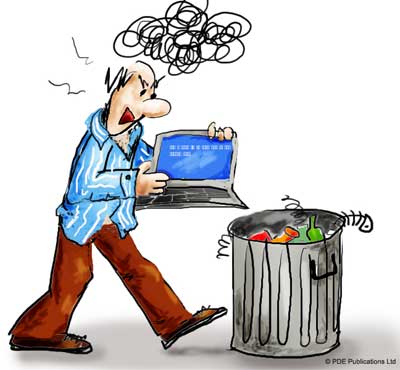
blue screen error cartoon

If you are using incorrect Sound Card Drivers then you will at best experience a poorer sound quality than if you were using the prescribed Drivers.

How can I keep my Device Drivers up-to-date

You really have 2 main options here, you can either manually update the Drivers yourself (this has become a lot easier in more recent Operating Systems), or

You can use a driver update tool to automate this process for you and keep all your Drivers up-to-date

Filed Under: Software Drivers Tagged With: drivers

  • « Previous Page
  • 1
  • 2
  • 3
  • 4
  • 5
  • …
  • 22
  • Next Page »


  • Recent Posts
  • Popular Posts
        

Read More Posts


Read More Posts

Drivers.com Sites

  • Software Drivers
  • Drivers Ed

About Us

  • Advertise
  • About Drivers
  • Drivers Support
  • Drivers.com Privacy Policy
  • Disclaimer
  • Software Drivers
  • Mac Fixes and Tips
  • PC Fix Tips
  • Security/ Backup
  • Tablets & Smartphones
  • Tech News

© Copyright 2026 PDE Publications Ltd. End User License Agreement (EULA)