


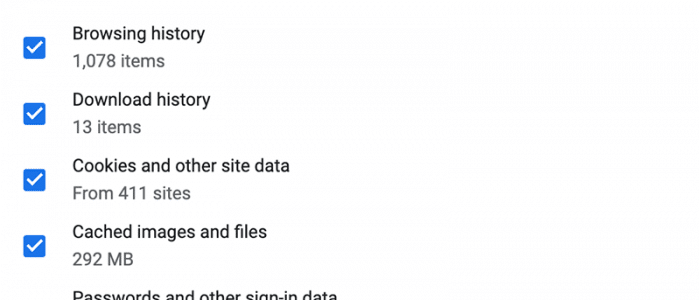
Chrome has been rapidly gaining in popularity and now accounts for almost three-quarters of all browser usage. However, this increase in popularity has not been without its issues. The most common issue we are asked about in relation to the Chrome browser is speed. Users are finding Chrome becomes very slow and even freezes or hangs. Below we look into some fixes for this issue.
Internet connection speed
The first thing to do is to eliminate internet speed as a possible cause for this. If you can access email and other online services (not using Chrome) with reasonable speed, and it is just Chrome that appears to be slow then proceed to the next step, if everything is slow then check your broadband or internet speeds as this may be the issue. You may need to update your network drivers to help speed up your PC.
Slow PC or laptop?
If your PC is old or has almost reached its storage capacity this could very likely be causing speed issues across the board. If you have another browser installed on your PC, try accessing sites using this and see if the speed issues are still there. If so, then the problem is with your PC or laptop speed and you can view this post for more advice.
How to speed up Chrome browser
Update to the latest version of Chrome
It is important for security as well as performance to make sure you keep your version of Chrome up-to-date.
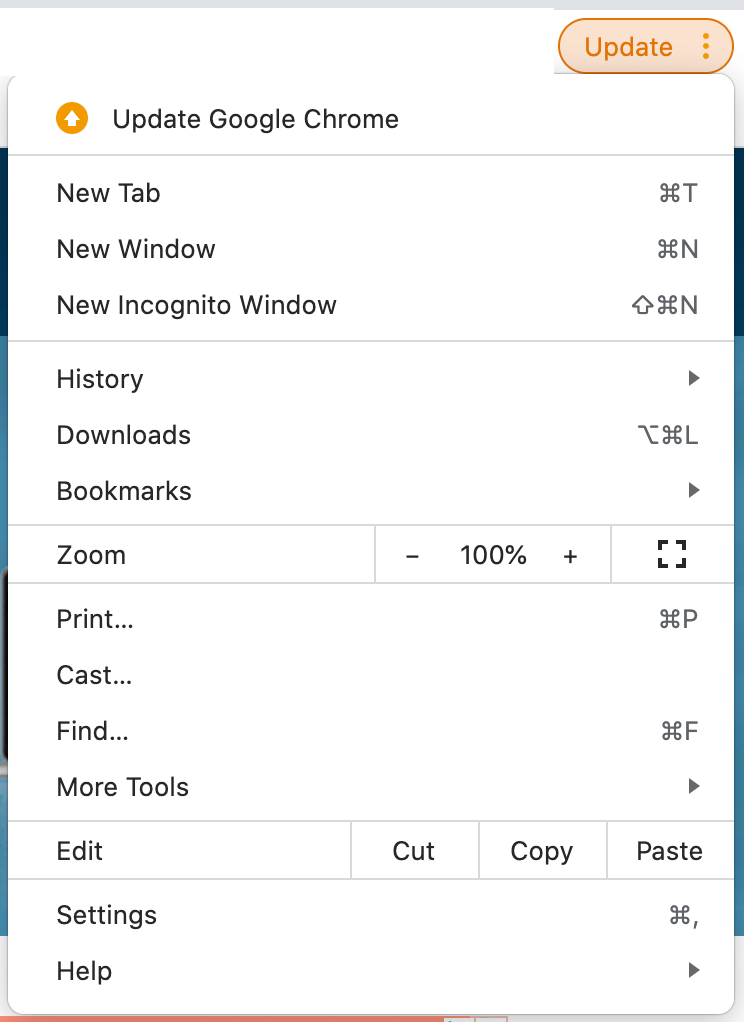
To update Chrome:
- When in Chrome select ‘More’ in the top-right corner
- Select ‘Update Google Chrome’ and if this option is not showing then you are already using the latest version
Too many tabs open in Google Chrome
Clear cache in Chrome
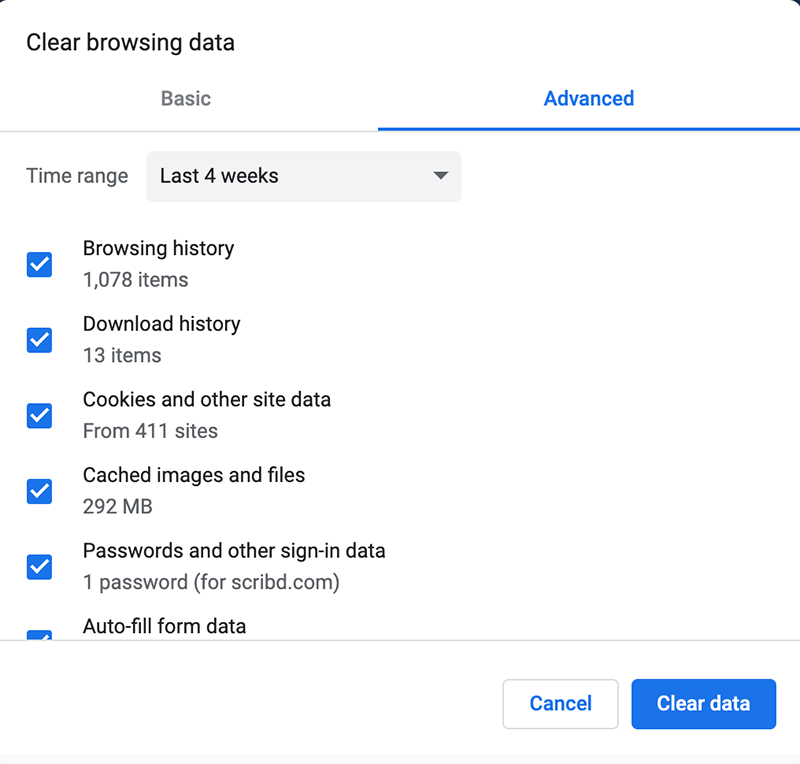
Chrome stores cached files for a long time so the cache can become very bloated, slowing down the browsing experience and taking up valuable space on your hard drive.
How do I clear my cache in Google Chrome
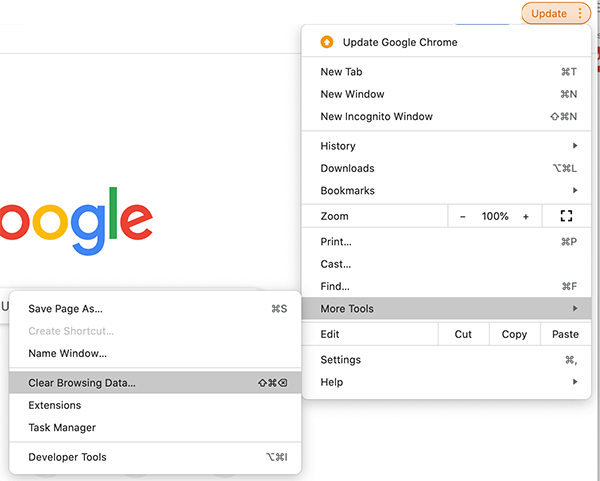
To clear the cache click on the three dots in the top right > select More Tools and Clear Browsing Data and select the time range for the data you want to clear.
Clear unused Add-ons
Chrome Add-ons can be hugely useful but they can also slow down the browsing experience if there are too many of them. It is likely that you are not using all the Add-ons you have installed. Check through your Add-ons and delete any that you are no longer using.
To view your Add-ons select the three dot menu in the top right > More Tools > Extensions
You can either choose to ‘remove’ Add-ons from here, or if you are not sure if you still need them, use the slider to toggle to disable them.
Faster Chrome Browser
After carrying out some or all of the above fixes your Chrome browser should be running at a much faster speed. If you are still experiencing speed issues you may need to go through the steps again and be more ruthless with clearing your cache and the number of Add-ons.