



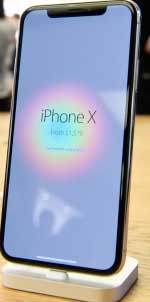
The iPhone X features an OLED screen that displays clear and crisp images with rich colors. Many iPhone users were delighted to see Apple finally moving from LCD to OLED because the latter has more advanced display technology.
But there can be issues with the iPhone X OLED screen. Many iPhone X users have complained about peculiar screen behavior known as screen burn. In the article below we will look at this issue and give tips to fix or avoid the problem. If you are having problems with a black screen where device still seems to be working, click here.
What is iPhone X screen burn issue?
The problem of screen burn refers to the OLED screen retaining the image for a long time. If you keep an image on the iPhone X screen for a long time, you may notice a discoloration or ghost image. Even when the screen displays a new image, you can sometimes notice a faint remnant of the previous image on the screen. This screen burn is caused when you leave a high contrast static image on the screen for a long time which causes the pixels to retain the colors and you then see a faint remnant of the image earlier displayed on the screen.
Here are some tips to avoid screen burn on your iPhone X screen.
Update to the latest iOS version
Apple has stated that to fix the screen burn issue in iPhone X, you need to update to the latest iOS version. Below are the steps to update the iOS on your iPhone X.
- Go to Settings
- Tap General > Software > Software update
Avoid displaying static images for too long
To avoid the burn-in issue, iPhone X users need to avoid displaying static images on the screen for a long time. They can use dynamic animated wallpapers and change them regularly. Another way is to set the iPhone X to go to sleep after a short period of time.
Keep Auto-lock time short
The best way to avoid screen-burn in iPhone X is to avoid a long auto-lock time. Here are the steps to change the auto-lock time on your iPhone X.
- Go to Display and Brightness > Auto Lock
- Select the shorter period of inactivity time after which the OLED display turns off. For example, 30 seconds, 1 minute, 2 minutes or anytime in the list that you feel will work for you
Tweak Brightness setting
You should avoid having more extreme screen settings (in terms of brightness and contrast) to avoid the screen burn issue in OLED. Here are the steps to reduce the brightness of your iPhone X screen.
- Go to Settings
- Tap General > Accessibility > Display Accommodations
- Move the auto-brightness slider to Off position
Note: You can keep the Auto-brightness feature on which adjusts the brightness of the display based on ambient light present
If you find yourself in a situation where you need to keep the screen on for a long time while using an app, you can switch off the Auto-brightness feature and adjust the brightness level through the Control Center. Here are the steps to follow to do this:
- Swipe from the bottom of the screen to activate Control Center
- Locate the brightness slider in the Control Center menu
- Move the brightness slider up or down to adjust the brightness
The OLED screen-burn issue is not a new one. Almost every OLED screen will experience these problems. The OLED screen-burn issue is not something that will damage your screen but it can be a nuisance at times so it is useful to use some of the above fixes to avoid the issue where possible.