


Anyone with an email address will have received a ‘phishing’ email at some time or other, many will be subjected to these on a daily basis, particularly at this time of year. Phishing emails are designed to steal money from you in either of two ways:
1. Malicious software: by installing malicious software on your computer
2. Social engineering: by getting information from you either directly or by surreptitiously getting you to install the above malicious software
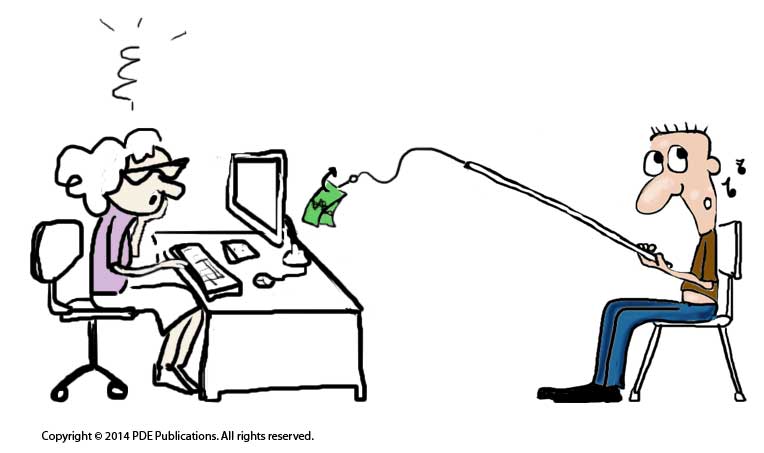
The easiest way to avoid either of these threats is to delete these ‘phishing’ emails as they arrive. This is often easier said than done, as oftentimes the emails appear to be from your bank, or from a friend looking for help and it may not be immediately obvious that they are not legitimate.
Obvious signs of a ‘Phishing’ email
There are a number of telltale signs of ‘phishing’ emails, some more obvious than others. Some emails don’t even require a second glance before deleting, while others may need a little bit of research. Whatever you do, do not click on anything in the email until you have worked your way through our top 10 and have satisfied yourself that the email is above-board.
1. The actual link and the visible links do not match
This is the first thing I look for when I get an email from someone claiming to be my bank or PayPal or similar. Phishing emails will almost always contain at least one link for you to click on.
The link may appear as – click here to update your account details at www.paypal.com
When you mouseover the link (move the cursor over the hyperlinked/ underlined text without actually clicking on it) you will see text popup with the URL or web address that the link will actually lead you to (usually with a light yellow background). In a legitimate email this should read the same or essentially the same as the link written in the email. In a phishing email you are likely to get a very different link here, to a completely different website and often a completely different country extension such as Russia (.ru)
Scammers sending out these emails rely on users
a) not looking at where the link leads to (hovering over link as above) and/ or
b) not reading the domain name carefully when they do so
I have seen some very clever phishing emails in the past showing the URL as paypal.com, when I mouseover it shows either paypel.com (note the vital misspelling) or paypal.buydesignershoes.com. The bit before the .com is the domain name, the subdomain or text before the first ‘.’ is irrelevant as this is likely to show the name of the company the scammers are impersonating.
2. The email is not personalised
This is not always the case as more advanced phishing schemes may use your name. However, the majority of phishing emails will read ‘Dear User’ or something equally vague. If they are claiming to be from your bank or an organisation that holds account details for you, then they should at least know your name.
3. The ‘to’ field says ‘undisclosed recipients’
This is usually a red flag for me as it tells me that the same email has been sent to multiple recipients. Be on alert and look for other phishing indicators.
4. Bad spelling or grammar
We are all prone to the odd typo or grammatical error, but emails with obvious spelling and/ or grammatical errors should put you on immediate alert. This is particularly the case when the email claims to be from a large company such as Microsoft or PayPal. While not infallible, they are unlikely to miss obvious errors such as these in official customer emails.
5. You are asked to send money
This email may claim to be from a friend (they may have gathered names and email address from your address book so this can be quite convincing), the friend is often said to be stranded in some city having lost their luggage or something similar, it could equally be from a company looking for bank details to pay you for something you haven’t even applied for. If you are in doubt about an email from a friend, email them separately (do not hit the ‘reply’ button), if from a company, they are not going to sending emails to random people offering any type of work which leads on to the next thing to look out for – unsolicited email …
6. Unsolicited email
This one is not black and white as you may get an email from your bank asking you to update your password. This is an unsolicited email but not an unusual request. However, the bank should always direct you to their website and not ask you to click on a link within the website. If in doubt, go to the known URL and login as normal, if they are contacting you by email to ask you to update something, there should be something on your account page alerting you to this.
Out of the blue job offers and once in lifetime investment opportunities are almost always going to be bogus! Unfortunately it is unlikely that Facebook want to pay you to sit at home all day and surf the net, and that South African diamond miner looking for an investment partner …. well, you may want to believe it but trust your better judgement!
7. The email looks for personal information
This may not be as obvious as your bank account number, in cases of identity theft these details are built up over time and from a number of sources. The phishing email may just be looking for your full name or postal address. Don’t supply any information of this sort if in any doubt.
8. A sense of urgency
Phishing scams rely on the likelihood of people making bad or ill-informed decisions under pressure. Phishing emails usual have threatening language and a sense of urgency, so sentences such as ‘update your details now or your account will be closed’ are not uncommon. A common incitement to click on a link is to tell recipients that something was recently purchased on their iTunes account and to click on the link if they think this may not have been them. The easiest way to find out if anything was purchased using your account details is to go to itunes.com (or whatever the company/ website in question) and login, all purchases will be listed on your account.
9. The ‘from’ address does not match the claimed domain or company name
When the email you receive claims to be from microsoft, the email address in the ‘from’ field of the email should read usersname@microsoft.com or similar. If it is a gmail or another web-based email account (such as microsoft-tech-support@gmail.com), then it is very likely to be bogus. To see the email address your may have to mouseover the name in the ‘from’ field or click the little arrow to the right of the name.
10. Trust your instincts!
If in doubt, don’t click. There are always ways of researching if an email is bogus. If you have gone through all the checks above and are still unsure, copy and paste some of the text into Google and do a search. If is is a common scam it may come up on some of the message boards. If you know the sender (a bank or on a personal basis), email them in a separate email (don’t hit ‘reply’) and check the details.
Remember, it is worth taking the extra time to confirm the authenticity of an email, this may save you a lot of time and money!