


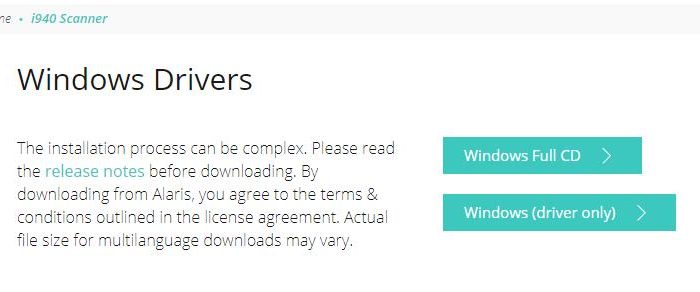
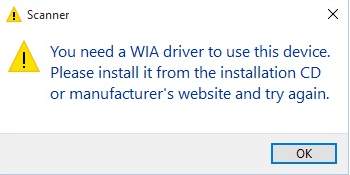
Are you not able to use the scanner with your Windows computer? Are you getting a WIA driver missing error when using a scanner? If the answer is yes, this post is for you. It shows two simple solutions to fix the WIA driver error.
What is WIA?
WIA stands for Windows Image Acquisition or Windows Image Architecture. It is a proprietary Microsoft driver model and application programming interface that enable the graphics program to communicate with imaging devices like scanners.
If you are getting this error, it means there is no WIA driver installed in your Windows system. A simple solution is installing the WIA driver. Let’s get started.
Solution One – Install WIA driver manually
to install the driver manually, you will need the driver CD that is provided with the scanner. Put the driver CD in the DVD drive and install WIA driver. Its that simple.
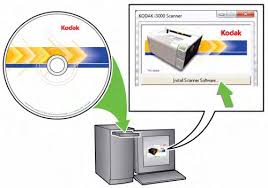
if you don’t have driver CD, you have the option of downloading the required drivers from the device manufacturer website. Some of the popular scanner manufacturers are Kodak, HP, Canon and many more. here are the steps to follow.
(Note – here we have shown step to download drivers for Kodak scanner. Use this steps for reference purpose only. We have SCANMATE i940 Scanner for which we are downloading drivers)
- Open browser
- Go to device manufacturer website
- Look for search option on website and type scanner model number.
- Look for a section like Driver and Downloads or anything similar
- Once you reach the driver downloads section, choose your windows OS
- We get two options – the first option is the Download Windows Full It contains WIA driver and scanner software
- The second option is the Windows driver only.
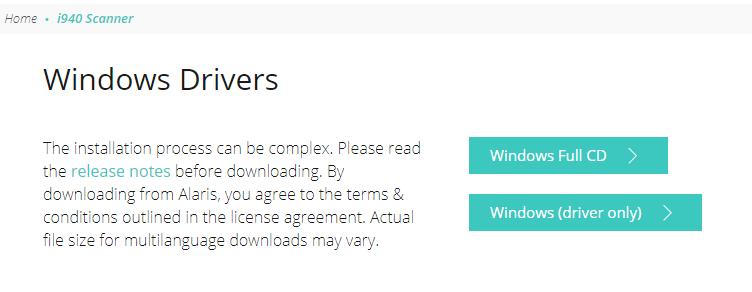
- We clicked on Windows driver only and the download started
- Since the file is in exe format, double-click on the file to install WIA driver
- After the WIA driver is installed successfully, reboot Windows
Now try opening scanner program to check whether the issue has been resolved. If the problem persists, move to next solution
Solution Two – Download and install WIA driver automatically
Installing drivers manually is often time-consuming. Worse, at times you might install an incompatible driver or not find the right driver. It’s much better to use a reliable driver update tool to update your drivers including the WIA driver.
Automatic driver update tools offer many benefits, the most important ones being:
- You can update device drivers automatically
- The software scans and updates all outdated or missing drivers at one go
- The tool picks the right drivers for your device and operating system, so you won’t have to worry about installing an incorrect driver by mistake
- Automatic driver updates are 100% safe
Driver Updater is one of the best driver update tools out there. Outbyte Driver Updater will give you access to a database of over 1 million drivers. It will regularly scan your PC, suggesting new driver versions to install. Driver Updater contains drivers for a variety of Windows devices. With just one click, you can update drivers in your system.
Step 1
Click here to Install and launch the app
Step 2
Scan all devices
Step 3
Install or update drivers automatically
Leave a Reply