


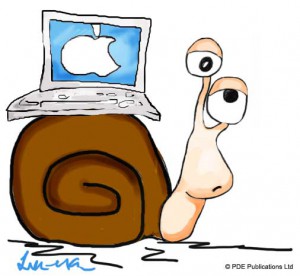
 Whether you own a Mac or Windows machine – the universal truth is that you must take good care of your computer if you want it to perform well for many years. Upgrading hardware is not the only way of improving your Mac’s sluggish performance. Although upgrading components usually works, it can be a costly affair. In most cases when there is a dip in performance, it can be easily improved by performing certain maintenance tasks.
Before we take a look at the tasks that help you speed up and protect your Mac, there are a couple of things you must know. Firstly, you should perform these tasks on a regular basis. Secondly, there are many useful software programs available that help you perform different essential Mac maintenance tasks with a single click.
Get rid of unnecessary applications
Do you download each and every application that catches your eye? There is nothing wrong with this grab-it-all attitude if you delete the unnecessary applications with the same vigor with which you download them. On the other hand, if you incessantly grab the new ones without letting go of the old, unnecessary applications, every new downloaded application puts an additional strain on your Mac’s resources and can slow its performance further. So, open up the Apps folder, browse through it, and delete the applications you have not touched in months.
Limit the applications that start automatically on Login
Does your Mac take longer than usual to start up? If yes, you can easily resolve this issue by restricting the applications that load automatically on startup. To do this, perform these steps:
Go to System Preferences>Accounts
Click your account
Click the Login Items button
Uncheck the box next to applications that are non-essential
Remove unnecessary widgets
Widgets open on your screen and use up substantial amount of RAM. One or two widgets opened on a Mac with substantial amount of RAM is not a problem at all, but multiple widgets on a RAM-deficient Mac, like a Mac Mini, is the perfect recipe for disaster. If you own a Mac Mini or another Mac machine with limited RAM and have a lot of widgets in the Dashboard, you would do well to heed this advice.
Update your applications regularly
Outdated applications are not only undesirable from the point of view of security, but they are also the cause of slow performance and various software errors. Updating applications manually can be time-consuming, not to mention boring. We recommend you to use MacKeeper, a very useful application for Mac which does many things besides automatically updating outdated applications.
Leave a Reply