


Top considerations when buying a new Printer
There are many things to consider when buying a new printer. The first thing you need to be aware of is the different printer technologies (inkjet, Laser) available. It is vital to differentiate between the different types of printers too (Document, photo printers etc.). The most important factor is whether the printer is for home or office use as this will determine the printer technology you opt for, Inkjet Printers are generally for home use whereas Laser Printers are more often for office or high-frequency use.
Manufacturers such as Xerox, Epson, Hewlett Packard and Canon are well-regarded Printer brands. You may find a very cheap brand of printer but the replacement ink cartridges could cost you the price of a new printer! This is why it is important to understand what you need in a printer and then look at what you are likely to pay for that printer and for any related consumables (such as ink or toner).
Printer Technologies
Inkjet Printers
Inkjet printers are the most common printers for home or lower-frequency use. These printers are more compact and lightweight and are less expensive to maintain.
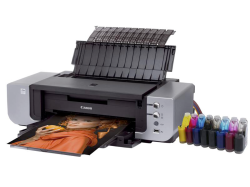
Types of Inkjet Printers:
– Document Printers
These Inkjet printers only print documents either in colour or black and white e.g. word documents, e-mails, web pages etc.
– Photo Printers
Photo printers are capable of printing high quality and high resolution photos that will look similar to developed photos.
– All-in-One Printers
Often abbreviated as AiO, these printers are multi-functional with the ability to print and copy documents as well as scanning and faxing functions. Most printers on the market today are AiO.
Laser Printers
Laser printers are the obvious solution for corporations, schools and anywhere requiring high frequency or high capacity printing. Laser printers are relatively fast and suitable for high quantity print jobs. Laser printers can come in black and white or colour.
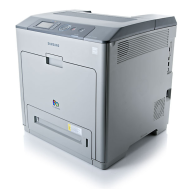
Types of Laser Printers
Document Printers
Similar to Inkjet Document printers, these printers print anything from word documents, excel sheets to emails and web pages.
All-in-One Printers
AiO Laser printers are used to make copies, scan and print.
Inkjet Printers vs. Laser Printers
Inkjet Printers are smaller in size and are cheaper in comparison to Laser printers. Their ink cartridges are much cheaper and easier to replace. Although cheap, Inkjet printers don’t use ink very efficiently and are slower at printing documents. They are the best choice for the average home or home-office user.
Laser Printers use toner more efficiently than ink is used by Inkjet printers. Laser Printers print documents at a much greater speed. These printers are bulky and more expensive and can also be quite noisy. Overall, Laser printers are longer lasting and are the best choice when it comes to environments where the demands for printing speed and capacity are likely to be high.
After considering which printer technology and type of printer, there are just 4 steps to choosing the printer that is right for you.
Leave a Reply