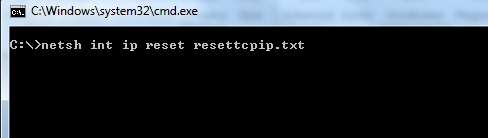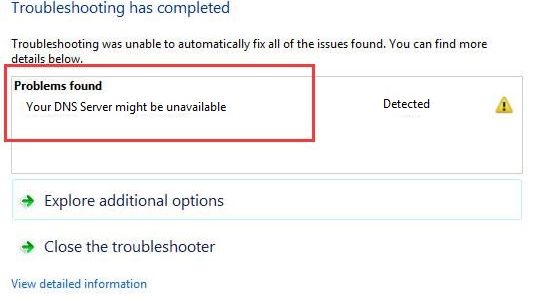
“Your DNS server might be unavailable” is one of the most common Internet errors you might come across. When you get this error, you can’t surf the Internet. Though frustrating, the error is not dreadful as many think, and you can easily fix it with solutions we have listed here.
Solution One – Flush DNS
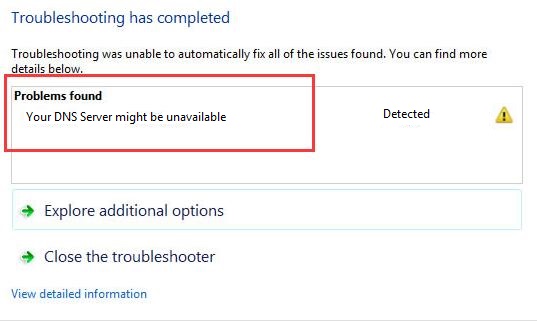
- On your keyboard, press Windows key and R simultaneously to bring up Run command interface
- Type exe and click OK
- In the command prompt window that opens, type the following commands and press Enter after each command
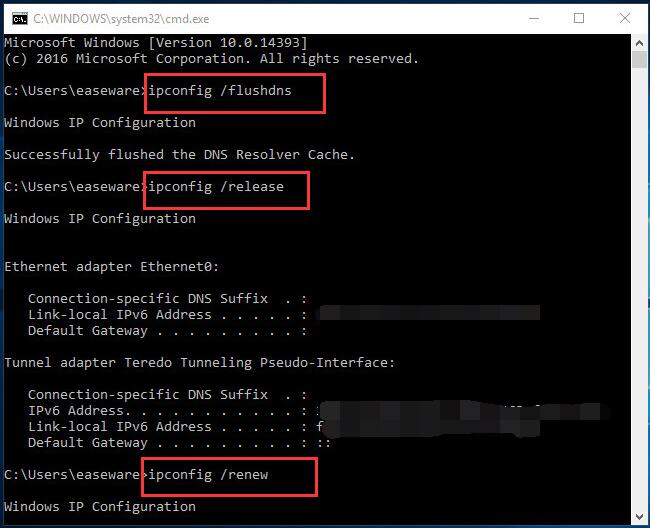
- ipconfig /flushdns
- ipconfig /release
- ipconfig /renew
- close the command prompt window
Open a browser and try to open any website. If the error still persists, move on to next solution
Solution Two- Reset Router
In the majority of the Internet connections, the DNS servers are allocated automatically. If you are experiencing DNS related errors, you should reset the router and see if it helps. Here are the steps to follow.

Every router has a Reset button and you need to use it to Reset the router. If you are not sure how to do it, refer the router documentation for detailed steps. After you have reset the router, you will be required to enter details of your Internet connection.
Once the Internet connectivity has been established, open the browser and see if the issue persists. If you are still receiving “Your DNS server might be unavailable”, try the next solution
Solution Three – Use Public DNS
It is possible that there might be some problem with your ISP’s DNS server. In that case, you can use public DNS to get your Internet connection working. All you have to do is change DNS settings of your computer by following steps given below.
- To open Run command console, press Windows key and R simultaneously on your keyboard
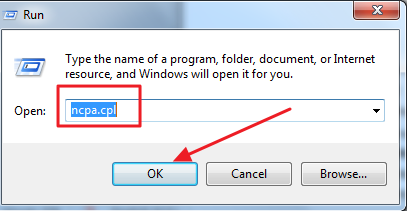
- In the Run command box, type ncpa.cpl and click OK
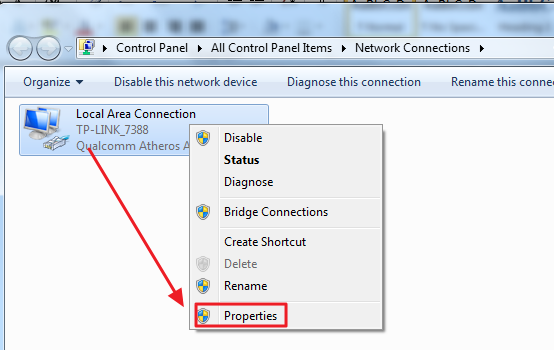
- In the Network Connections window, right-click on the Network and select Properties
- In the Network Properties window, look for Internet Protocol Version 4 (TCP/IPv4) in the list and select it
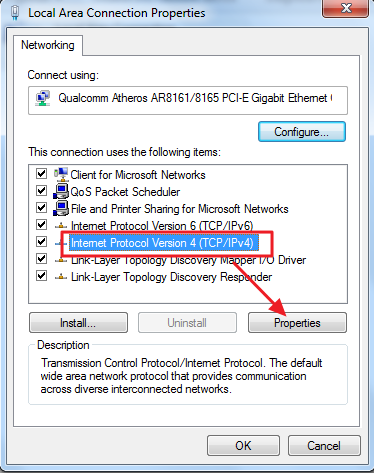
- Now, click Properties
- In the Internet Protocol Version 4 (TCP/IPv4) properties window, select the option Use the following DNS server addresses and enter the following addresses.
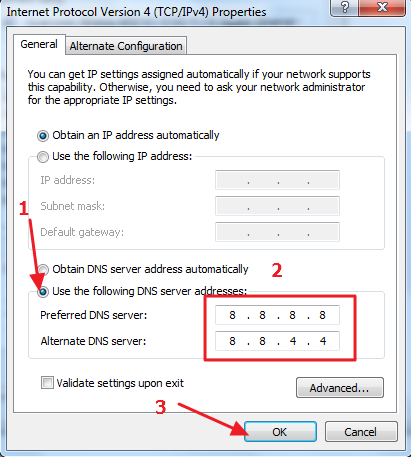
- Preferred DNS server: 8.8.8
- Alternate DNS server: 8.8.4.4
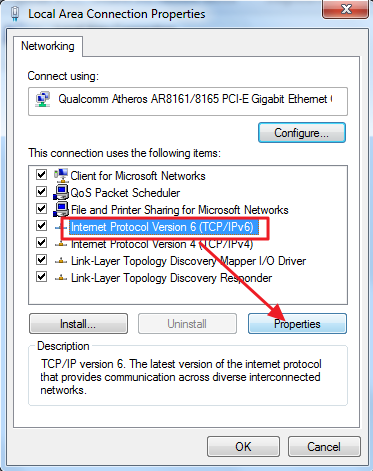
- Now go back to Network Properties window. This time select Internet Protocol Version 6 (TCP/IPv6) and click Properties
- In the Internet Protocol Version 6 (TCP/IPv6) properties window, select the option Use the following DNS server addresses and enter the following addresses.
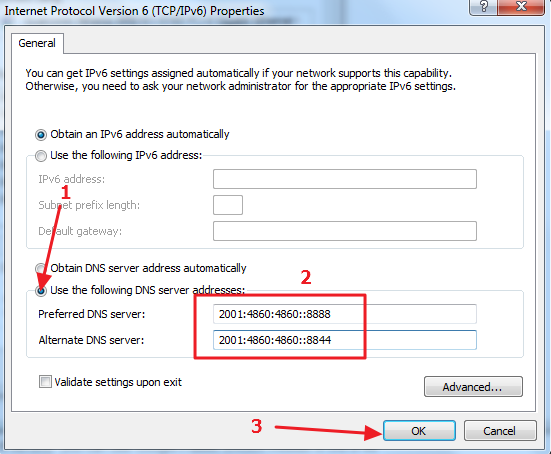
- Preferred DNS server: 2001:4860:4860::8888
- Alternate DNS server: 2001:4860:4860::8844
- Save your settings and close all windows
Open a browser and try opening a website and see if the issue persists. If you still get an error “Your DNS server might be unavailable”, try the next solution.
Solution Four – Reset TCP/IP
The TCP/IP plays an important role in establishing an Internet connection. There is a possibility the TCP/IP settings are corrupt which is causing the “Your DNS server might be unavailable” error. To rule out this possibility, follow the steps given below to reset TCP/IP.
- Open command prompt with admin rights
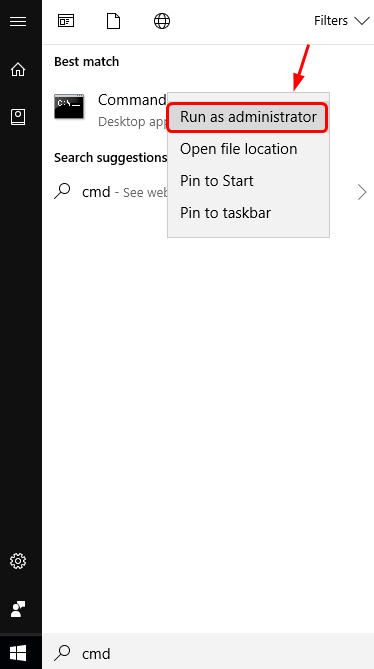
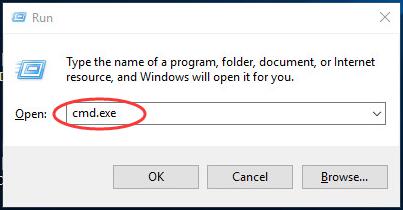
- In the command prompt window, type netsh int ip reset resettcpip.txt and press Enter on the keyboard