


Microsoft Edge is a successor to Internet Explorer and an inherent component of the Windows 10 operating system.
But many users find it annoying, even when they don’t use it. This is mostly due to the frequent pop-up screens from the browser.
If you are looking for freedom from these annoying pop-up ads from Microsoft Edge, you are not on your own! Many Windows 10 users are looking for easy ways to get rid of Microsoft Edge’s frequent pop-ups.
Below we have set out two solutions to resolve the Microsoft Edge problem.
One of the solutions is disabling the browser and the second one is getting rid of Microsoft Edge by uninstalling it. You may choose either solution depending on your requirements. Let’s get started.
Solution 1 – Disable Microsoft Edge browser
This is the easiest and safest way to get rid of those annoying pop-up screens from Microsoft Edge. Here are the steps to follow.
- Click This PC on the desktop
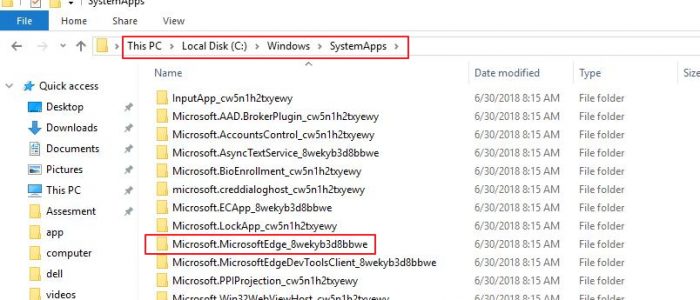
- Navigate to C:\Windows\SystemApps folder
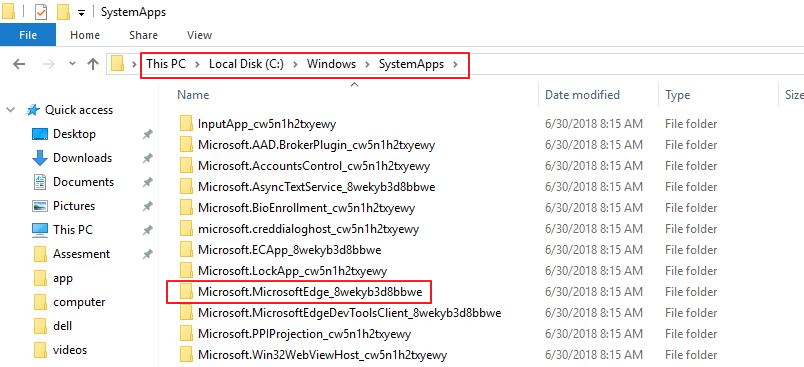
- Look for a folder called MicrosoftEdge_8wekyb3d8bbwe and right-click on it
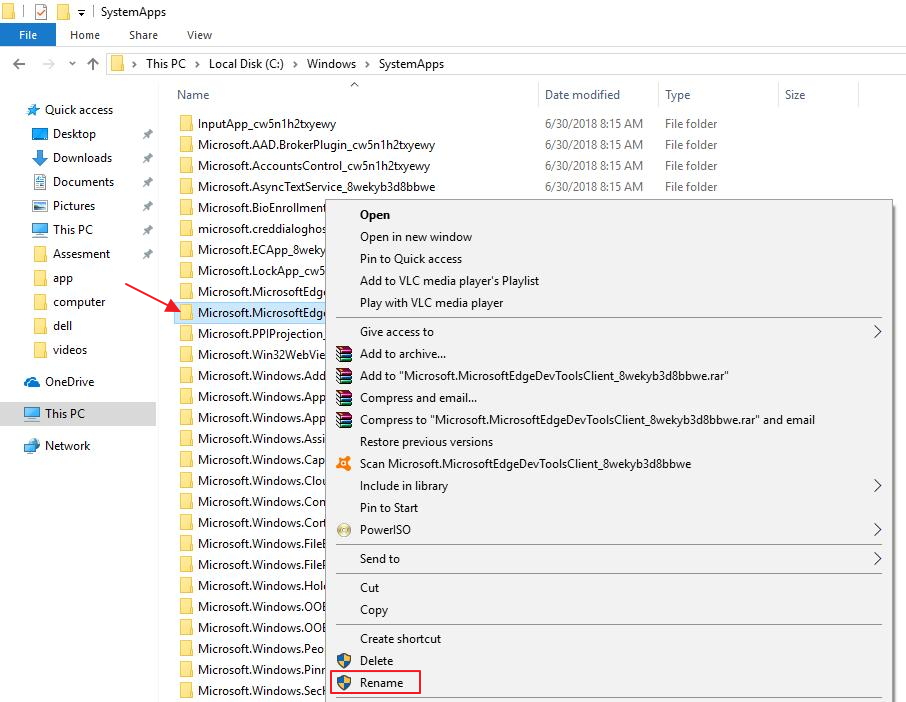
- Select Rename from the right-click menu
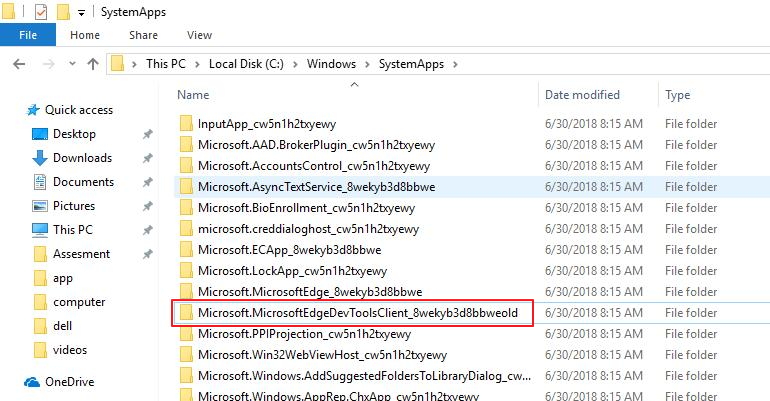
- Rename the folder as MicrosoftEdge_8wekyb3d8bbweold. You are free to rename the folder however you wish
- When you are prompted to confirm your action or permission, click Continue
- Now your Microsoft Edge browser has been disabled and you will not see the annoying pop-up screens from Microsoft Edge.
- If you want the Microsoft Edge back for some reason in the near future, follow the first four steps and rename the folder as MicrosoftEdge_8wekyb3d8bbwe and Microsoft Edge will be back again.
Solution 2 – Uninstall Microsoft Edge
Microsoft Edge is an integral component of Windows 10 and it is more likely to be tied or integrated with important Windows services. Uninstalling Microsoft Edge might make your operating system unstable.
You should consider uninstalling Microsoft Edge only if you find it completely unbearable. Though we have provided steps to uninstall Microsoft Edge, it does not mean we recommend or encourage it. This is because disabling Microsoft Edge works just fine to resolve the issue and there’s no risk of making the system unstable, either.
However, if you do want to uninstall Microsoft Edge, these are the steps you need to perform.
- Press Windows logo key and S on your keyboard simultaneously
- In the Cortana search box, type powershell
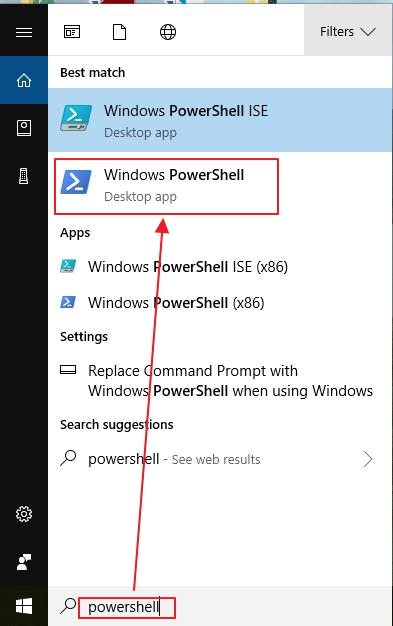
- Click Windows Powershell from the list of results
- In the blue pop-up window, type get-appxpackage *edge* and hit Enter on the keyboard
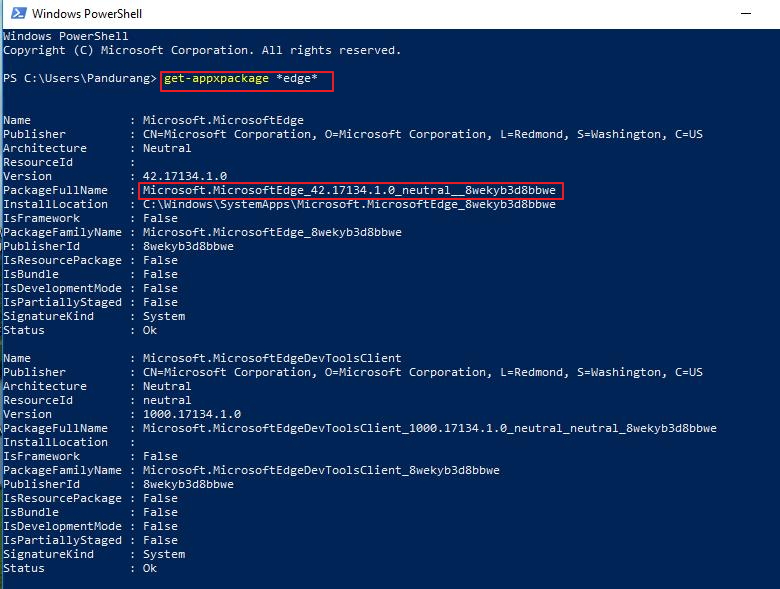
- The above command will give you details of the location and name of the Microsoft Edge package. You will need this information in next command
- Type remove-appxpackage and press space bar on the keyboard. Now copy the address next to PackageFullName and paste it after the command you just typed in. Make no mistakes in this step. You can use the screenshot below as a reference if you are not sure of how to do it.
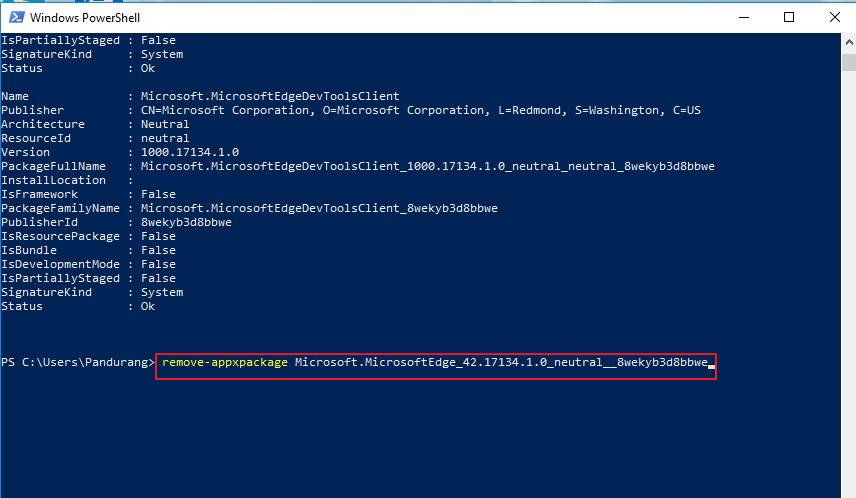
- After you have pasted the address after the command, hit Enter on the keyboard and wait for the process to begin and complete
- After the uninstallation process is completed, close all windows.
For information on Microsoft Driver updates or other Microsoft issues, you can use our search function in the footer.